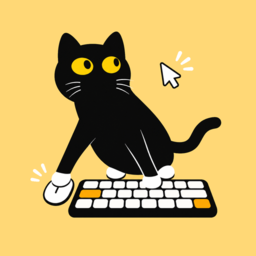
打字有节奏Typing, with rhythm
左右前爪交替落下,按键气泡跟着位置轻弹。键盘音可关,也能换成清脆、沉闷、打字机或轻柔。 Its paws alternate as you type, and key bubbles pop up near each press. Keyboard sound is optional, with four voices: crisp, thock, typewriter, soft.
桌面宠物 · macOS / Windows Desktop pet · macOS / Windows
一只金眼黑猫,安静地住在桌角
你打字,它左右爪交替
你动鼠标,它抬眼跟着
其他
App 打开麦克风,它竖起耳朵
A golden-eyed black cat, quiet in the corner
You type, and its paws tap along
You
move the mouse, and its eyes follow
Another app opens the mic, and its ears go up
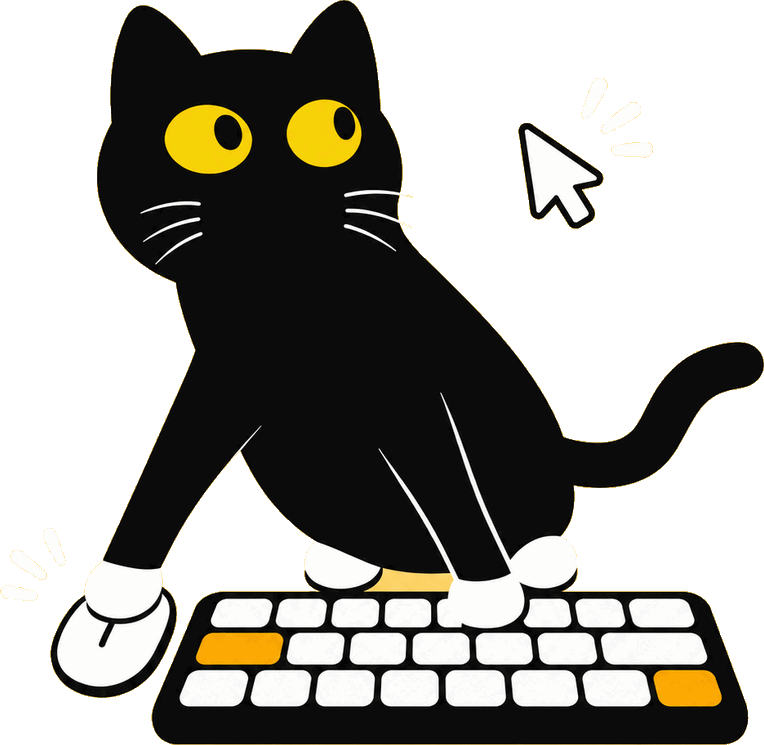
金眼黑猫 · 默认形象 Golden-eyed black cat · Default
陪伴方式How it keeps you company
每个反应都很小。它不说话,不抢焦点,也不打断你。 Every reaction stays small. It does not speak, steal focus, or interrupt.
左右前爪交替落下,按键气泡跟着位置轻弹。键盘音可关,也能换成清脆、沉闷、打字机或轻柔。 Its paws alternate as you type, and key bubbles pop up near each press. Keyboard sound is optional, with four voices: crisp, thock, typewriter, soft.
眼珠追着指针走,耳朵和尾巴轻轻回应。指针停下,它也慢慢回到待机。 Its eyes follow your pointer while ears and tail answer with small moves. When the pointer rests, it settles back to idle.
其他 App 使用麦克风时,它竖起耳朵。它只读取系统占用状态,不打开音频流,不录音、不转写。默认关闭。 When another app opens the microphone, its ears go up. It reads the system's in-use flag only — no audio stream, no recording, no transcription. Off by default.
摸摸头,它会呼噜;长按,它弓起背喊一声「嗷呜」。两种声音可以单独开关。 Rub its head for a purr. Press and hold and it arches its back with a small howl. Each sound has its own switch.
还能置顶、鼠标穿透、缩放,以及可选的开机启动。 It can also stay on top, click through, scale, and launch at login.
毛色Coats
共用同一套骨架和动作,只换毛色与花纹。 Same rig, same moves — only the fur changes.
 金眼黑猫Black
默认Default
 白猫White
 布偶猫Ragdoll
 大橘猫Orange tabby
 三花猫Calico
 奶牛猫Tuxedo
 暹罗猫Siamese
隐私Privacy
它只做几件很小的事。不需要账号,不读取你的内容;除了检查更新,它不发送数据。 It does a few small things. No account, no reading your content. Apart from checking for updates, it sends nothing.
麦克风感应只读占用状态,不打开输入流。 Mic sensing reads an in-use flag, not an audio stream.
只读取键位与鼠标位置,不保存输入历史。 Only key positions and pointer location — never a keystroke log.
鼠标只在内存里跟随,不保存移动轨迹。 The pointer is followed in memory and never stored.
没有云同步或第三方分析;更新检查只请求版本号。 No cloud sync or analytics; the update check only asks for a version.
麦克风感应默认关闭。键盘音、呼噜声和嗷呜都可以在菜单里单独关闭。 Mic sensing is off by default. Keyboard sound, purr, and howl each have their own menu switch.
下载Download
首版正在准备签名与安装包。开放下载后,这里会提供安装文件,并在 App 内提示更新。 The first release is being signed and packaged. This page will offer installers once it opens, with in-app update notices.
macOS 11 或更高版本macOS 11 or later
Windows 10 / 11Windows 10 / 11
macOS 首次打开需在系统设置中允许「输入监控」与「辅助功能」;不授权也能显示,只是不会跟随键盘和鼠标。麦克风感应不需要麦克风权限。 On first launch, macOS asks for Input Monitoring and Accessibility. The cat still shows up without them — it just won't follow your keyboard and mouse. Mic sensing needs no microphone permission.